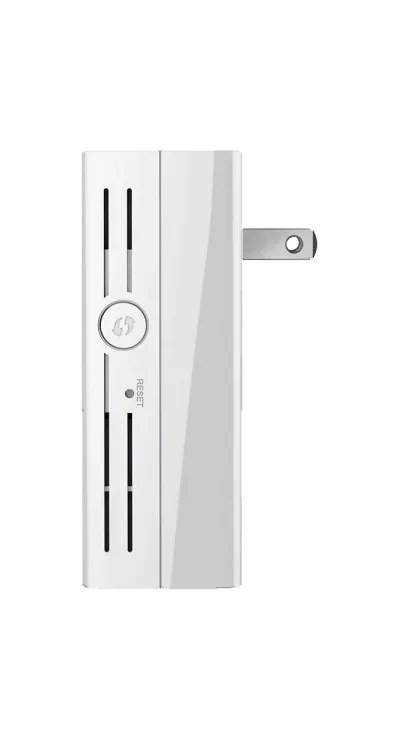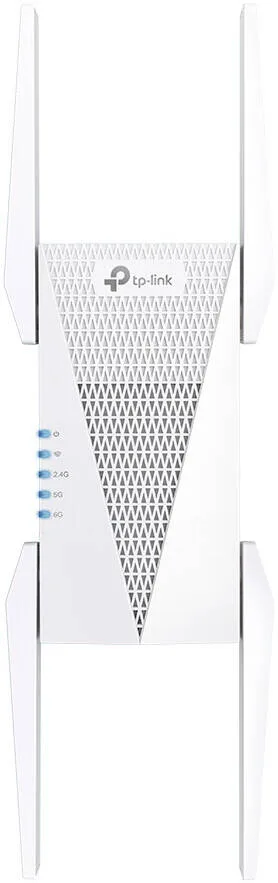
TP-Link AXE5400 Tri-Band Mesh Wi-Fi 6E Range Extender, Broadband/Wi-Fi Extender, Wi-Fi Booster/Hotspot With 1 Gigabit Port, 160 MHz Channels, Built-In Access Point Mode, Easy Setup, White
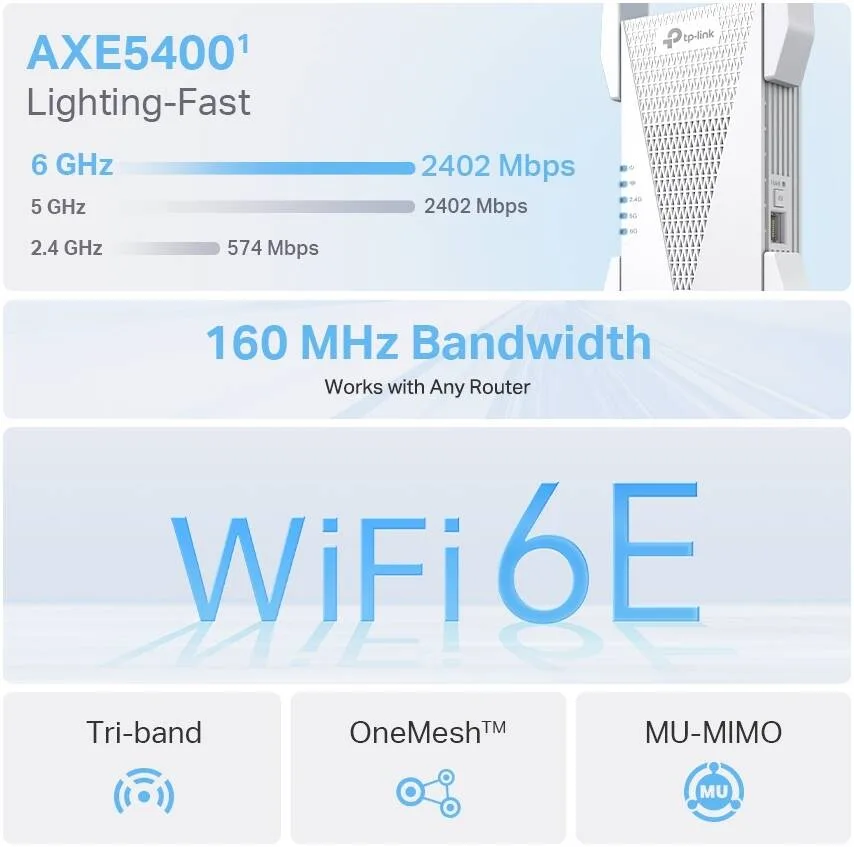
- AXE5400 Tri-Band Wi-Fi – Boosts overall speeds up to an incredible 5400 Mbps.
- 6 GHz Band – Provides a clearer band to prevent Wi-Fi interference and congestion.
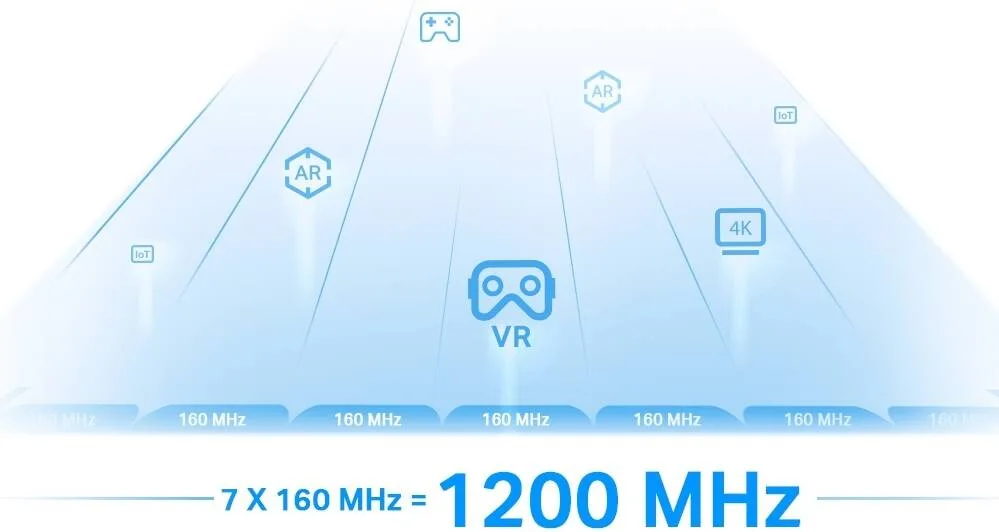
- 160 MHz Channel Bandwidth – Expands bandwidth to double the network speed of traditional 80 MHz.
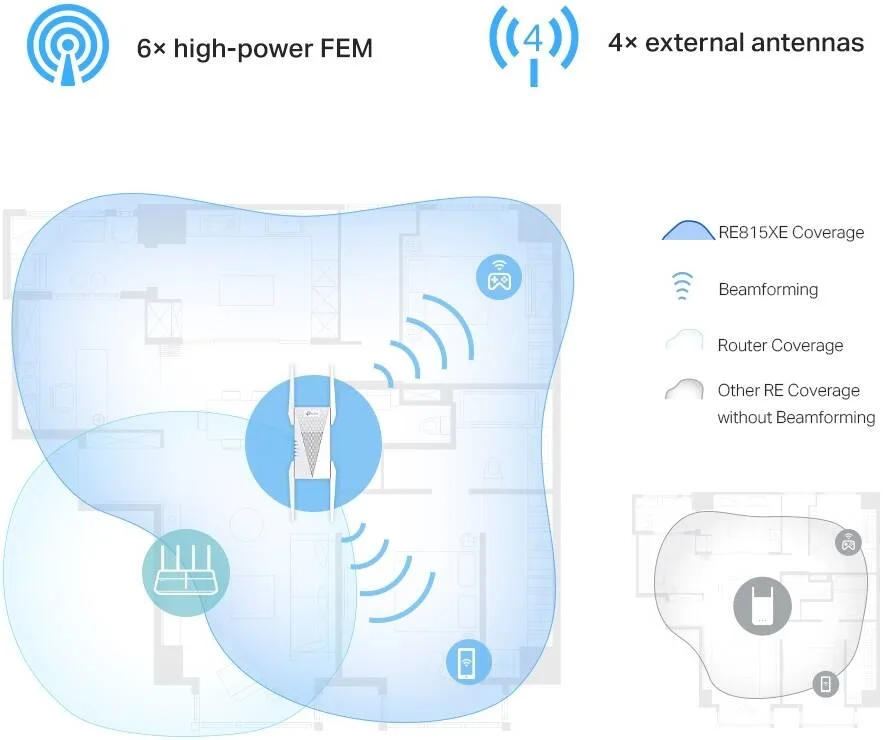
- Seamless Roaming – Walk from room to room and stay connected with the fastest possible speeds.
Warranty: 1 Year — effortless warranty claims with UK-wide coverage. Learn more
Key specifications
- Speed class
- AXE5400
Details
- Shipping Weight
- 0.50 Kg
- Shipping Dimensions
- 12.00 cm x 14.00 cm x 20.50 cm
- Attribute
- Details
- Ports
- 1 Gigabit Ethernet Port
- Button
- WPS Button, Reset Button
- Input Power
- 100-240V~50/60Hz
- Power Consumption
- 23 W
- Dimensions (W x D x H)
- 4.2 × 1.6 × 13.7 in. (106.6 × 39.7 × 348.2 mm)
- Antenna
- 4 External Antennas
- Wireless Standards
- IEEE 802.11ax 6 GHz IEEE 802.11a/n/ac/ax 5 GHz IEEE 802.11b/g/n/ax 2.4 GHz
- Frequency
- 2.4 GHz, 5 GHz, 6 GHz
- Signal Rate
- 574 Mbps at 2.4 GHz 2402 Mbps at 5 GHz 2402 Mbps at 6 GHz
- Working Modes
- Range Extender/Access Point
- Reception Sensitivity
- 6 GHz: 11ax HE20 MCS0: -92dBm, 11ax HE20 MCS11: -61dBm 11ax HE40 MCS0: -89dBm, 11ax HE40 MCS11: -58dBm 11ax HE80 MCS0: -86dBm, 11ax HE80 MCS11: -55dBm 11ax HE160 MCS0: -83dBm, 11ax HE160 MCS11: -52dBm 5 GHz: 11ax HE20 MCS0: -93dBm, 11ax HE20 MCS11: -62dBm 11ax HE40 MCS0: -90dBm, 11ax HE40 MCS11: -59dBm 11ax HE80 MCS0: -87dBm, 11ax HE80 MCS11: -56dBm 11ax HE160 MCS0: -84dBm, 11ax HE160 MCS11: -53dBm 2.4 GHz: 11ax HE20 MCS0: -95dBm, 11ax HE20 MCS11: -64dBm 11ax HE40 MCS0: -92dBm, 11ax HE40 MCS11: -62dBm
- Wireless Functions
- LED Control Access Control Power Schedule Wi-Fi Coverage
- Wireless Security
- 64/128-bit WEP WPA/WPA2-PSK encryptions WPA3
- Transmission Power
- FCC: 2.4 GHz < 30dBm 5 GHz < 30dBm 6 GHz < 30dBm
- Mesh Technology
- TP-Link OneMesh
- Certification
- FCC, RoHS
- Package Contents
- Wi-Fi Range Extender RE815XE Quick Installation Guide
- System Requirements
- Microsoft Windows 98SE, NT, 2000, XP, Vista™ or Windows 7, 8, 8.1, 10 MAC OS NetWare, UNIX, Linux Internet Explorer 11, Firefox 12.0, Chrome 20.0, Safari 4.0, or other Java-enabled browser
- Environment
- Operating Temperature: 0℃~40℃ (32℉ ~104℉) Storage Temperature: -40℃~70℃ (-40℉ ~158℉) Operating Humidity: 10%~90% non-condensing Storage Humidity: 5%~90% non-condensing
4.910 reviews
Got something to share?
Rate this product — your experience helps other buyers.
Alfie B. Used for: More than a year
Pros
Solid signal upstairs in a house that never had any
Cons
The plug is huge and the status light is bright
Comment
Ours has been on the landing socket since the day it arrived and it has quietly fixed a problem that three previous boxes did not. The difference is the separate band for the link home. Every cheap extender we had before halved the speed, so upstairs you got something that looked full on the phone and behaved like a bad hotel. This one keeps that link on its own radio, and the result is that both upstairs rooms measure within about ten per cent of what the router does downstairs. Video calls do not stutter and the television has stopped buffering altogether. Small gripes only. It is a lump, it takes both sockets on a double, and the light is bright enough to notice from a bedroom doorway at night. None of that would stop me buying it again, two years in.
Arthur P. Used for: 6–12 months
Comment
Sits on the landing socket and covers the two bedrooms and the loft that the router never reached. The phone stays on one name from the kitchen to the top of the house, and that has been true for six months now.
Ella C. Used for: More than a year
Pros
Genuinely seamless handover and no loss of speed on the far side
Cons
It blocks the second socket on a double outlet
Comment
A Victorian terrace with thick walls and the router stuck in the front room where the line comes in, which is the classic reason for buying one of these. What makes this different from the cheap ones is that it keeps an entire band to itself for the conversation with the router. The practical effect is that the far end of the house gets a real connection rather than the half speed you get when an extender is talking to the router and the laptop on the same radio. My daughter can be on a call in the back bedroom while somebody streams downstairs and neither of them notices the other. One physical grumble. It is a big lump of a thing, and on a double socket it covers the second one completely, so wherever it goes you lose a plug. Ours has an extension lead behind the sofa purely because of it. A year and a half in and that is genuinely the only complaint I have.
Willow W. Used for: 1–3 months
Pros
Roams with the matching router, so there is no second network name
Comment
One network name across the whole house at last, and the phone hands over without me noticing
Rosie S. Used for: 1–3 months
Pros
Fixed a dead spot that had defeated two previous extenders
Cons
You will spend an evening finding the right socket
Comment
The dead spot was a back bedroom over a chimney breast, and neither of the cheap extenders we tried before had made any real difference to it. This one took it from 8 down to nearer 90, though only from the second socket I tried, so be prepared to move it about. Once it was in the right place the phone stopped asking whether it wanted the extender or the router, because there is only one name now and it hands over on the stairs without dropping a call.
George G. Used for: More than a year
Cons
Enormous plug body
Comment
Signal in the garden at last, worth every penny!
Henry S. Used for: Less than a month
Cons
The placement guide in the app is optimistic
Comment
Bought for a stone-walled cottage where upstairs had never had a usable signal and the answer had always been to walk down to the kitchen. It fixed that in an afternoon. The only thing I would warn about is placement. The app will happily tell you a socket is good when the far room says otherwise, so try three or four of them with a speed test running on the device that actually matters. The difference between the best and worst socket here was more than double, and they were 2 metres apart!
Freddie P. Used for: 1–3 months
Cons
It covers both sockets on a double outlet
Comment
The loft office finally has full bars, which is all I ever wanted from it!
Theo O. Used for: 1–3 months
Pros
It finally put a usable signal in the garden office
Cons
Finding the right socket took an afternoon of trial and error
Comment
We have a garden office at the bottom of a long garden and every cheap extender I have tried put one bar on the phone and nothing usable on a video call. This one works, but getting there was not the five minute job the box implies. The app has a placement helper and it is honestly not much good. It told me a socket in the hall was ideal, and from there the office sat at 25 down and dropped whenever the kettle went on. Moving it to a socket in the back bedroom, which the app rated lower, took the office to 60 and it has stayed there. I would ignore the rating and simply test with the device that matters, in the room that matters. Since then it has been faultless and the calls no longer drop. Four stars only because the setup deserved a better guide.
Oliver K. Used for: 6–12 months
Pros
A whole band kept for the link back, so nothing is halved
Cons
It wants a matching router before it will roam properly
Comment
The point of paying real money rather than picking the cheapest box on the shelf is the third band. The extender talks to the router on its own radio and hands the other two to your devices, so you get roughly what the router gives rather than the half a cheap one leaves you with. Measured 380 down in the back bedroom against 420 standing at the router, which is close enough to call it solved!