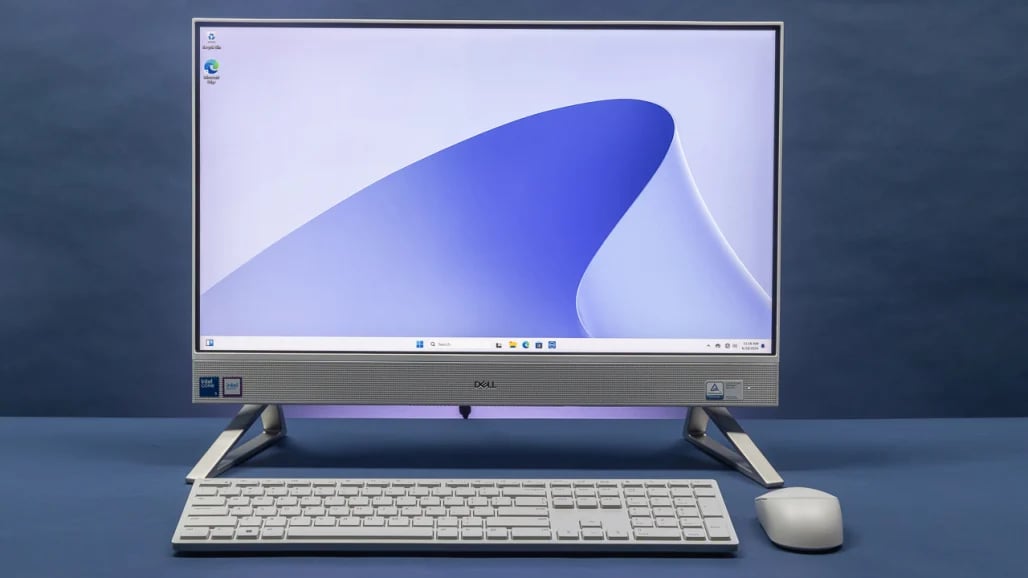
The all-in-one is silent for a fortnight. Mail, spreadsheets, a browser with too many tabs — nothing from the machine but the room. Then you join a video call while something exports in the background, and twenty minutes in there is a fan, and the top edge of the screen is warm to the touch. The machine has not developed a fault. It has reached the point where two heat sources it was designed to keep apart start using the same air.
Two heaters in one box
An all-in-one puts a computer behind a display, which means two things that produce heat share an enclosure of a few litres.
The panel is the constant one. A 24-inch LED-backlit display draws roughly 15 to 30 watts, and essentially all of it ends up as heat — a screen is a device for turning electricity into a small amount of light and a large amount of warmth. Surface temperatures around the backlight and driver electronics sit in the 40 to 50 °C range in normal operation. That load is there whenever the screen is on, at full brightness whether you are compiling or reading.
The processor is the variable one. In an all-in-one it is usually a mobile-class part with a sustained power budget somewhere between 15 and 65 watts, depending on the class of machine, and its output swings from a couple of watts at idle to its full budget within seconds of a real task starting.
Idle, the panel dominates and the fan has nothing to do. Under load, the two are comparable — and they are drawing from the same intake.
What shared air costs, in degrees
Air carries heat away in proportion to how much of it moves and how much warmer it gets on the way through. The relationship is straightforward: temperature rise equals power divided by mass flow times the specific heat of air, which is about 1 005 joules per kilogram per degree.
Take a slim chassis moving something like 10 CFM — a modest figure for a quiet all-in-one, and our assumption rather than a published one. That is 0.0047 cubic metres per second, or about 0.0056 kg/s of air. Now put the panel's 30 watts into that stream before it reaches the processor's heatsink:
30 ÷ (0.0056 × 1 005) ≈ 5 °C.
The processor's cooler is therefore working with intake air five degrees above the room, and every degree at the intake is a degree at the silicon, because a heatsink's job is to hold a fixed temperature difference above whatever air arrives. A machine in a 22 °C room is cooling its processor as though the room were 27 °C — and that is before you account for the exhaust of some designs being dumped inside the enclosure rather than directed out, which teardowns of certain all-in-ones have shown.
Put the machine in an alcove, against a wall, or under a shelf, and the intake starts collecting its own exhaust as well. The published guidance for conventional enclosures — that an internal environment of 40 to 45 °C is normal in a 35 °C room — describes the same arithmetic from the other end.
Why it shows up as noise and then as slowness
The fan is a control loop with two ways to respond, and it uses them in order.
First it spins faster. More air means less temperature rise for the same heat, so the machine buys back those five degrees with fan speed — and fan noise rises steeply with speed, which is why an all-in-one goes from inaudible to obvious over a narrow band of load rather than gradually.
Then it runs out. When the fan is at its limit and the silicon is still at its ceiling, the only remaining control is the clock. Measurements of all-in-ones show exactly this: a single-fan model that throttled under sustained load, against a two-fan version of the same machine that held roughly 10 per cent more performance; and a workstation-class all-in-one whose processor sat at 94 °C and dropped from a 3.9 GHz boost to a sustained 3.63 GHz.
Neither machine is broken. Both are doing what the design intends: trading speed for temperature once the air runs out. The characteristic of an all-in-one is not that it gets hot, but that its margin between "silent" and "at the limit" is narrow, because a slim enclosure has little air to move and the display has already used part of it.
What actually helps
- Give the intake and exhaust clear air. Vents are usually along the bottom edge and the top rear. An alcove, a wall directly behind, or a shelf overhead turns exhaust into intake, and that costs more degrees than any setting you can change.
- Turn the brightness down when you do not need it. The backlight is the largest term in the panel's power, and it is the one heat source in the machine you control directly.
- Prefer two fans if the model offers it. Where the same machine is sold in single- and dual-fan configurations, the difference under sustained load is measurable and permanent.
- Watch the sustained tasks, not the peak ones. An all-in-one handles bursts well: a photo export finishes before the enclosure warms through. It is the hour-long render, the long compile and the all-day video call that find the limit.
- Give it a room, not a cupboard. Every degree of ambient is a degree at the silicon, and this class of machine has the least margin to absorb it.
The purchase to think twice about
If your work is a sustained load — rendering, compiling, video encoding, anything that keeps every core busy for an hour — an all-in-one is the wrong shape of machine, and no configuration option inside it will fix that. You would be buying a display and a computer that must share one duct, in an enclosure chosen for how it looks on a desk rather than how much air it can move. A separate monitor and a small tower cost about the same, and the tower has the volume to keep its fan slow.
If your work is what most work is — documents, browsers, calls, occasional bursts of something heavier — the all-in-one is doing something genuinely useful: one cable, no box under the desk, and a machine that is silent for the ninety per cent of the day when the panel is the only thing producing heat.
The check that takes a minute
Run something demanding for twenty minutes and put a hand above the top rear edge. If the exhaust is warm and moving, the machine is doing its job. Then move the machine forward, away from whatever is behind it, and repeat the same task: if the fan settles noticeably lower, you have just measured how much of the noise was the room rather than the machine — and you have found the cheapest cooling upgrade available to this class of computer.
How this was put together
Five independent sources sit under the figures above: published power consumption for 24-inch LED-backlit panels of roughly 15 to 30 watts; measured surface temperatures of 40 to 50 °C around backlight and driver electronics; enclosure guidance describing an internal environment of 40 to 45 °C in a 35 °C room; comparative testing of single- and dual-fan versions of one all-in-one, in which the single-fan model throttled and the dual-fan model held about 10 per cent more performance; and thermal testing of a workstation-class all-in-one recording a 94 °C processor and a sustained clock of 3.63 GHz against a 3.9 GHz boost, alongside teardowns showing heatsink exhaust discharged inside the enclosure.
The derived figures are ours: the roughly 5 °C rise in intake temperature calculated from 30 watts of panel heat against an assumed 10 CFM of airflow, and the reading that this rise transfers directly to the silicon because a heatsink holds a fixed difference above the air it is given.