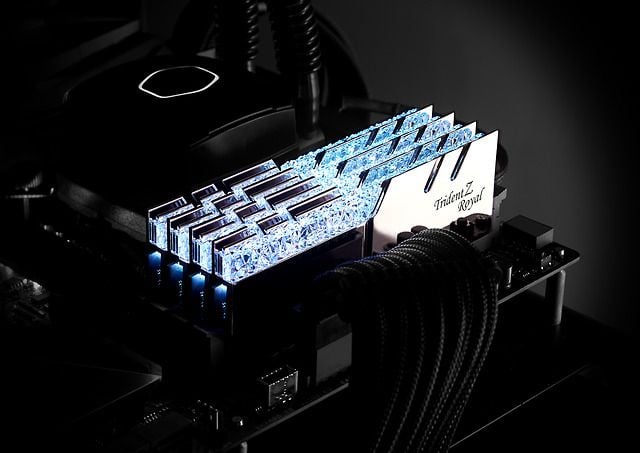
You had two sticks of 16. A third turned up — left over from a build, cheap in a sale, the same model as the pair. It went into the empty slot, the machine posted, and the system panel now reports 48 GB.
Nothing is faster. Depending on the board, several things are measurably slower. This is not bad luck; it is the predictable outcome of adding capacity to a machine whose problem was never capacity.
Capacity is a threshold, not a slope
Memory does not work like a bigger engine. A game asks the operating system for the working set it needs — the level's geometry, textures the streamer decided to keep resident, audio banks, the engine's own structures — and once that set fits in physical memory, the game is done asking. Handing it more changes nothing, because it was not waiting on anything.
What it looks like when the set does not fit is quite different, and quite recognisable: the system starts paging to the drive, and the cost lands as spikes rather than as a lower average, which is the same signature as any other stall. That is what the 8-to-16 upgrade fixed for a generation of machines, and it is why it felt so dramatic. It was not extra speed. It was the removal of a stall.
So the honest shape of the capacity question is a step, not a ramp. Below the step, everything is bad. Above it, more is simply more, and for the great majority of games in 2026 that step sits at or below 32 GB. The measured picture across the outlets that test this properly is consistent: 16 to 32 still moves the 1% lows in a handful of heavy modern titles, and 32 to 64 sits inside the run-to-run noise of the benchmark.
The third stick costs you the thing that does matter
Consumer desktop platforms — Intel and AMD alike — run two memory channels. Not four. The slots on the board are two channels with two slots each, and that distinction is where the third stick gets you.
With two sticks, one per channel, everything is symmetric and the controller interleaves cleanly across both. Add a third and the arrangement is no longer symmetric: the capacity that has a partner on the other channel keeps full width, and the remainder does not. Part of your memory is now running at half the bandwidth of the rest, and which part depends on where the allocator happens to put things.
Then there is the electrical problem, which on DDR5 is the bigger one. Boards route the memory traces in a daisy chain optimised for two populated slots. Fill all four and you add load and signal reflections at frequencies where that matters enormously — so the controller backs off. A kit that runs happily at 6000 MT/s as a pair commonly lands somewhere between 4400 and 3600 MT/s with four sticks in, and board vendors publish exactly this in their own compatibility lists: the same modules, a lower validated speed, purely because of how many slots are full.
What that trade is worth, in numbers
A DDR5 DIMM moves 8 bytes per transfer, and a dual-channel pair gives you two of them:
- Two sticks at 6000 MT/s: 6000 × 8 × 2 = 96 GB/s
- Four sticks that fell back to 4400: 4400 × 8 × 2 = 70 GB/s
- Four sticks that fell back to 3600: 3600 × 8 × 2 = 58 GB/s
That is a 27 per cent bandwidth cut in the mild case and 40 per cent in the bad one — paid for capacity the game was not going to use. Latency moves the wrong way at the same time, and games are more sensitive to memory latency than to memory bandwidth, so the felt loss can be worse than the headline figure.
This is the whole article in one line: you traded a quarter of the memory subsystem's speed for a third of its capacity, and only one of those two was ever a constraint.
Below the step, speed is the whole game
If capacity is a threshold, the obvious question is what memory can still do for you once you are over it. The answer is latency, and to a lesser extent bandwidth — and the arithmetic is worth carrying because the marketing never states it.
The true latency of a kit in nanoseconds is its CAS number multiplied by 2000 and divided by its transfer rate. Run that for three configurations you can actually buy or fall into:
- 6000 MT/s at CL30 — 10.0 ns
- 4800 MT/s at CL40, the common JEDEC fallback — 16.7 ns
- 4400 MT/s at CL36, a typical four-stick landing spot — 16.4 ns
The good pair answers a request in ten nanoseconds. The four-stick configuration takes 64 per cent longer to answer the same request, and delivers 27 per cent less bandwidth while it does it. Both halves of the memory subsystem got worse together, which is why the effect is easy to feel and hard to attribute.
And this is precisely the kind of penalty games notice. A processor waiting on memory is a processor not preparing frames, and those waits land as occasional long frames rather than as a uniformly lower framerate — the same distribution problem that turns up everywhere else in this series. Which is why memory shows up more clearly in the 1% lows than in any average you will find on a box.
A matched kit is a promise about a pair
There is a second reason the spare stick misbehaves even when it is nominally identical.
An XMP or EXPO profile is not a property of a module. It is a set of timings the vendor validated with those modules together, binned as a kit on a test platform. Two kits bought a year apart under the same part number can carry different memory dies, different ranks and different revisions, because vendors change source silicon without changing the box. The profile then describes a pair that no longer exists on your board.
The failure is rarely a refusal to boot. It is a machine that posts, runs, and throws a memory error under load a week later — which you will spend an evening blaming on a driver.
Where more than 32 GB honestly pays
It would be dishonest to leave this as "32 is enough" and stop, because there are real cases and some of our customers are in them.
- Heavily modded games — a large mod list with 4K texture packs raises the working set past anything the vanilla title asks for.
- Simulation titles with large worlds — flight, city-builders and grand strategy hold far more state than a corridor shooter.
- Playing and streaming and encoding at once, with a browser full of tabs behind it.
- Anything that is not a game — virtual machines, video timelines, large datasets, containers. This is where 64 GB stops being decoration.
The distinction that matters: in every one of these the extra capacity is doing work. None of them is "games will run better".
What to do instead
- Keep two sticks. If you need more capacity, replace the pair with a larger matched pair rather than adding to it. Two 32s beat four 16s at the same total, every time, on both stability and speed.
- Check the board's list before assuming four will work. Vendors publish validated speeds per population, and the four-slot column is the honest one.
- Confirm the profile actually engaged after any change. A machine that quietly fell back to the JEDEC base speed looks fine and is not.
- Run a memory test after any memory change, for hours rather than minutes. This is the one component whose faults masquerade as software.
Two things we would not buy
A single stick to add to an existing pair. It is the cheapest-looking upgrade on this page and the only one that can leave the machine slower than it was.
And a 64 GB kit for a machine that only plays games. The money buys nothing measurable at the framerate, and it buys it at the cost of a faster, tighter 32 GB pair that would have moved the 1% lows. If the budget is fixed, capacity above the step is the first thing to trade away for speed below it.
How this was put together
The capacity picture comes from the outlets that test memory across capacities rather than across brands: TechSpot and Hardware Unboxed's 16, 32 and 64 GB comparisons, Gamers Nexus's memory scaling runs, and the per-title results where the 1% lows separate long before the averages do. The four-slot penalty is documented by the board vendors themselves in their validated-speed lists, and explained by the daisy-chain topology that Buildzoid and der8auer have both traced on the boards in question.
The derived figures are ours: the 96, 70 and 58 GB/s of a dual-channel pair at 6000, 4400 and 3600 MT/s, and the 27-to-40 per cent bandwidth cut that a third stick can buy you in exchange for capacity your games were never short of.